
Last updated on
Oct 31, 2026

Get the free US DOL Biweekly Payroll Form
We are not affiliated with any brand or entity on this form

Fill out
Complete the form online in a simple drag-and-drop editor.

eSign
Add your legally binding signature or send the form for signing.

Share
Share the form via a link, letting anyone fill it out from any device.

Export
Download, print, email, or move the form to your cloud storage.
Why pdfFiller is the best tool for your documents and forms


End-to-end document management
From editing and signing to collaboration and tracking, pdfFiller has everything you need to get your documents done quickly and efficiently.
Accessible from anywhere
pdfFiller is fully cloud-based. This means you can edit, sign, and share documents from anywhere using your computer, smartphone, or tablet.
Secure and compliant
pdfFiller lets you securely manage documents following global laws like ESIGN, CCPA, and GDPR. It's also HIPAA and SOC 2 compliant.
What is WH-347 Form
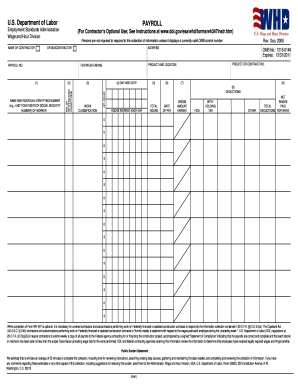
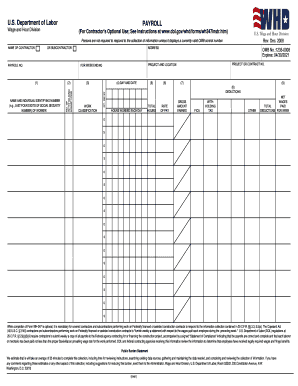
The US DOL Biweekly Payroll Form is a payroll document used by contractors to report wages paid to employees on federally financed construction contracts.
pdfFiller scores top ratings on review platforms




I liked the ease of using the pdf filler and being able to save and print my documents. If I needed this service regularly, I probably would purchase the service and explore pdf filler furthe
I find this really easy to use. We are travelling full-time so haven't got a printer. This saves us searching for a Library or private printer to use.
Took only 4" to respond to my email request, with action I requested completed. Outstanding Client Service!
muy bueno y completo sobre todo bastante practico y funcional
everything work wll got what we needed with no problems
Is really easy to find a templete to fill out, I enjoy it
Who needs WH-347 Form?
Explore how professionals across industries use pdfFiller.

WH-347 Form is needed by:
-
Construction contractors managing federally funded projects
-
Employees working on federal construction contracts
-
Subcontractors required to report payroll information
-
Payroll administrators responsible for wage reporting
-
Federal agencies overseeing construction contract compliance
Comprehensive Guide to WH-347 Form
What is the US DOL Biweekly Payroll Form?
The US DOL Biweekly Payroll Form, also known as the WH-347 form template, is essential for federal contractors and subcontractors. It serves to report wages paid to employees on federally financed or assisted construction contracts. Required details on the form include employee names, social security numbers, hours worked, and any deductions made. Compliance with federal regulations, particularly in construction contracts, is vital to maintain legal standing and secure project funding.
Purpose and Benefits of the US DOL Biweekly Payroll Form
This form plays a critical role for contractors and federal agencies in ensuring accurate federal payroll reporting. By providing precise payroll data, the form ensures accountability and transparency in project funding. Accurate reporting minimizes the risk of financial discrepancies that could jeopardize projects. Failure to adhere to proper payroll reporting can lead to severe consequences, including project delays and financial penalties.
Who Needs the US DOL Biweekly Payroll Form?
Contractors and subcontractors engaged in federally funded projects are mandated to use the US DOL Biweekly Payroll Form. The contractor must sign the form, while employees do not have this requirement. Certain situations, such as projects governed by the Davis-Bacon Act, make the use of this form obligatory to uphold labor standards.
How to Fill Out the US DOL Biweekly Payroll Form Online (Step-by-Step)
To fill out the US DOL Biweekly Payroll Form using PDF software, follow these steps:
-
Open the biweekly payroll template in your PDF editor.
-
Locate the field labeled "Name Here" and enter the employee's name.
-
In the "Social Security No." field, input the last four digits of the employee's Social Security number.
-
Continue filling in other required fields such as hours worked and deductions.
-
Utilize optional features like eSign for signing the document electronically.
Utilizing pdfFiller can simplify this process significantly by providing additional fillable form features.
Common Errors and How to Avoid Them
While completing the US DOL Biweekly Payroll Form, common errors can occur. To prevent inaccuracies:
-
Double-check all data entries for accuracy before submission.
-
Ensure that every required field is filled out completely.
-
Use a validation checklist to confirm that all necessary information is included.
Being meticulous during data entry can help avoid the consequences of improper payroll reporting.
Submission Methods and Deadlines for the US DOL Biweekly Payroll Form
The US DOL Biweekly Payroll Form can be submitted either electronically or by mail. This form is typically submitted on a biweekly basis, coinciding with payroll periods. Late submissions can adversely impact compliance status and could jeopardize the timeliness of project funding, thus it's crucial to adhere to the submission deadlines.
Security and Compliance for the US DOL Biweekly Payroll Form
Given the sensitive nature of payroll information, handling the US DOL Biweekly Payroll Form securely is paramount. pdfFiller employs robust security measures, including 256-bit encryption, and is compliant with SOC 2 Type II, HIPAA, and GDPR regulations to protect user data. It is also essential to practice record retention and follow privacy protocols to safeguard employee information.
Sample or Example of a Completed US DOL Biweekly Payroll Form
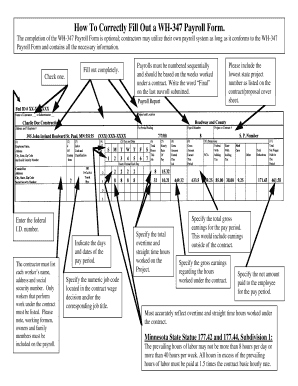
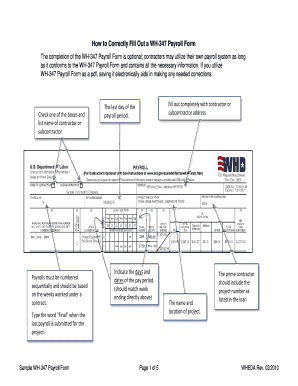
Providing a visual representation or downloadable example of a completed US DOL Biweekly Payroll Form can be very helpful. Highlighting key components and sections, along with annotations for clarity, ensures complete understanding. Leverage pdfFiller’s capabilities to replicate this format easily.
Transform Your Payroll Experience with pdfFiller
Using pdfFiller can revolutionize your payroll management experience. The platform offers ease-of-use features that allow for the creation of fillable forms and eSigning, enhancing your workflow. Transitioning to pdfFiller from traditional methods such as paper forms provides numerous benefits in terms of efficiency and convenience.
How to fill out the WH-347 Form
-
1.Access the US DOL Biweekly Payroll Form on pdfFiller by navigating to the form's webpage.
-
2.Open the form in the pdfFiller editor where you can see a user-friendly interface with fillable fields.
-
3.Before starting to fill out the form, gather necessary information such as employee names, social security numbers, hours worked, and any applicable deductions.
-
4.Use the provided fields to enter the employee's name and the last four digits of their social security number for each worker.
-
5.Fill in the hours worked for each employee during the biweekly period, ensuring accuracy to prevent any discrepancies.
-
6.Complete the deductions section if applicable, entering amounts accurately as required by payroll regulations.
-
7.After filling out all required fields, take a moment to review the information for any errors or omissions.
-
8.Once you are satisfied with the completed form, you can finalize it by adding your signature in the designated area.
-
9.To save or download the form, select the appropriate option in pdfFiller to ensure you have a copy for your records.
-
10.If required, submit the form to the overseeing federal agency according to the submission guidelines provided on the form.

Who needs to sign the US DOL Biweekly Payroll Form?
The form must be signed by the contractor responsible for the project. Employees are not required to sign the form.
What information is required to complete the form?
You will need employee names, the last four digits of their social security numbers, hours worked during the pay period, and any deductions to complete the US DOL Biweekly Payroll Form.
How often should this form be submitted?
The form should be submitted weekly to the federal agency overseeing the project to ensure compliance with federal payroll reporting requirements.
What are common mistakes to avoid when filling out the form?
Common mistakes include incorrect social security numbers, miscalculation of hours worked, and omitting required deductions. Always review the form before submission.
Is the US DOL Biweekly Payroll Form the same as other payroll forms?
No, the US DOL Biweekly Payroll Form (WH-347) is specifically tailored for reporting payroll on federally funded projects, unlike other payroll forms which may have different uses.
Are there any fees associated with submitting the biweekly payroll form?
Typically, there are no direct fees for submitting the US DOL Biweekly Payroll Form itself, but you should verify with your federal agency for any potential costs related to compliance.
What happens if the form is submitted late?
Late submission of the US DOL Biweekly Payroll Form may lead to penalties or compliance issues. It is essential to adhere to submission timelines to avoid complications.
Related Forms


Related Catalogs
Get the latest insights from our blog


If you believe that this page should be taken down, please follow our DMCA take down process
here
.
This form may include fields for payment information. Data entered in these fields is not covered by PCI DSS compliance.